
Issue
When trying to activate KeyShot, you may get the following error.
The server could not be reached. Details: N6 C0
Environment Details
- KeyShot
Cause
- This error code indicates that the SSL/TLS handshake failed and the encrypted channel could not be established. The sslErrors() signal should have been emitted.
Resolution
First, please check if you can access the URL https://login-configuration.keyshot.com in your browser.
Depending on the browser and formatting options, the response should look like one of these screenshots
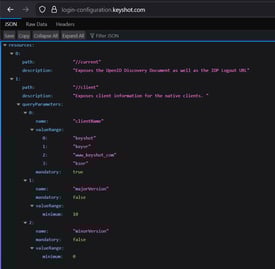

If that is not the case, please whitelist the following URLs in your organization's firewall
- *.keyshot.io
- *.keyshot.com
- https://login-configuration.keyshot.com
- https://login.keyshot.com
- https://app.keyshot.com
- https://cognito-idp.us-east-2.amazonaws.com
Once the browser is able to display the JSON response, additionally, please whitelist the entire domain *. keyshot.com from SSL/TLS inspection fixed the issue.